This service is now sunset and no longer active
FSET
Structure Editor Series
FModel JSON Schema Editor
No more writing raw schema by hand, no programming tooling required

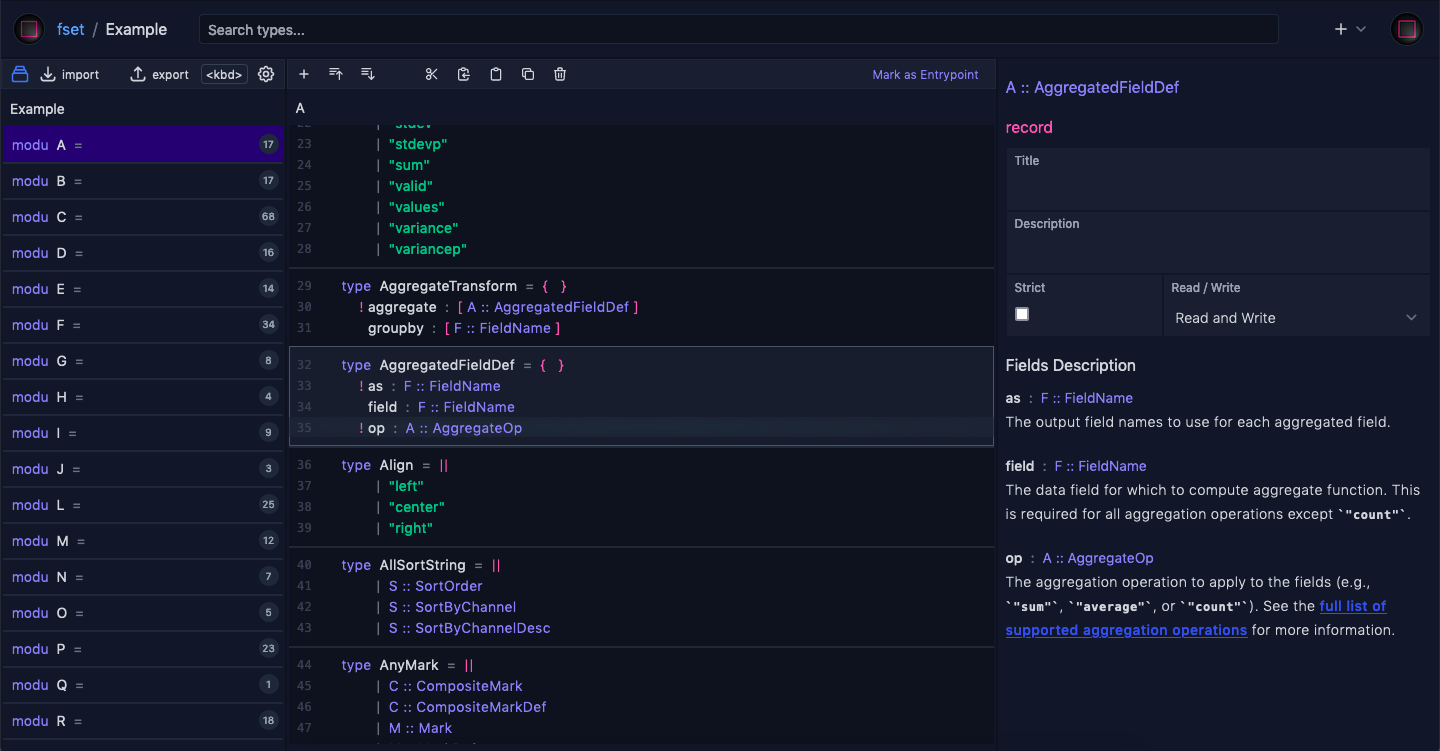
Example data from https://vega.github.io
Algebraic Data Type to JSON Schema
Think in terms of algebraic data type, export sane subset of json schema ( see all types )
-
{ "properties": { "field_a": { "type": "string" }, "field_b": { "maximum": 2147483647, "minimum": -2147483648, "type": "integer" } }, "type": "object" } -
{ "maxItems": 3, "minItems": 3, "prefixItems": [ { "const": "ok" }, { "$ref": "https://localhost/ExportDocs#/$defs/Record" }, { "properties": {}, "type": "object" } ], "type": "array" } -
{ "additionalProperties": { "$ref": "https://localhost/ExportDocs#/$defs/Record" }, "propertyNames": { "type": "string" }, "type": "object" } -
{ "items": { "$ref": "https://localhost/ExportDocs#/$defs/Record" }, "type": "array" } -
{ "properties": { "tag_a": { "properties": { "field_x": { "maximum": 255, "minimum": 0, "type": "integer" } }, "type": "object" }, "tag_b": { "properties": { "field_z": { "type": "string" } }, "type": "object" } }, "type": "object" } -
          {
  "enum": [
    "a",
    10,
    true,
    null
  ]
}
Constructing schema as productive as working in text editor
With essential keyboard commands ( see all commands )
- Add random schema to container types
- Shift + +
Add
- Cut selected schemas
- Cmd + x
- Copy selected schemas
- Cmd + c
- Paste
- Cmd + v
- Cancel copy or cut
- Escape
Move
- Clone selected schemas
-
Shift + Alt + ArrowUp
Shift + Alt + ArrowDown
Clone
- Reorder selected schemas up or down
-
Alt + ArrowUp
Alt + ArrowDown
Reorder
- Collapse selected schemas
- ArrowLeft
- Expand selected schemas
- ArrowRight
Collapse / Expand
- Delete selected schemas
- Delete
Delete
- Select a schema
-
ArrowUp
ArrowDown - Select a sibling schema
-
i
j - Select mutiple schemas
-
Shift + ArrowUp
Shift + ArrowDown - Select mutiple schema all the way
-
Shift + Cmd + ArrowUp
Shift + Cmd + ArrowDown - Select the first child
- Cmd + ArrowUp
- Select the last child
- Cmd + ArrowDown
- Select the root element of tree
- Home
- Select the last element of tree
- End
Select
- Enable key editing on a selected schema
- Enter
- Submit a changed key with current text input value
- Enter
- Cancel editing
- Escape
Rename key
- Enable type editing on a selected schema
- Shift + Enter
- Submit a changed type with current text input value
- Enter
- Cancel editing
- Escape
Change type
- For Windows, use Ctrl in place of Cmd
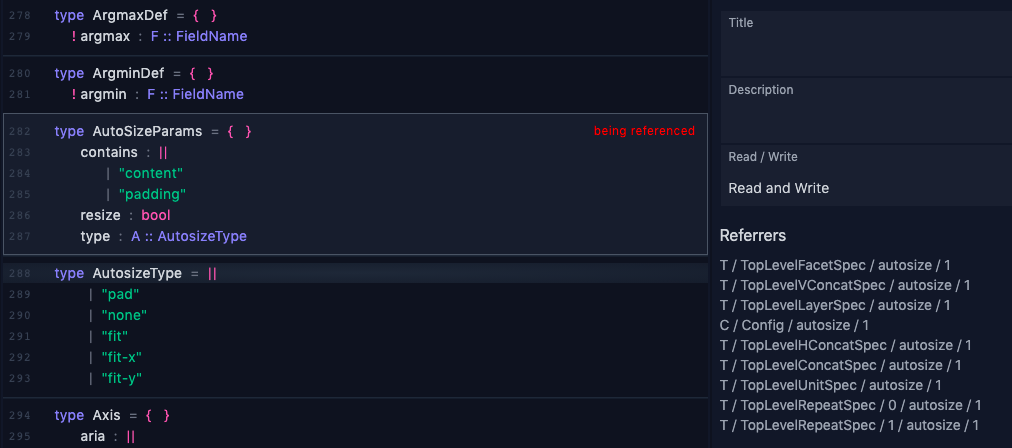
Reference tracking and integrity
Once a type is referenced, name and namespace updates automatically reflects on referrers
When there exists at least one referrer, the referenced type cannot be deleted, enforced at db-level
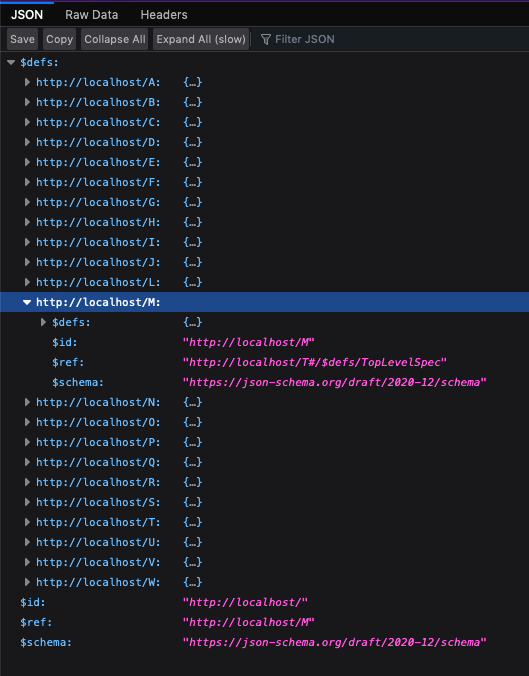
Export as a bundle
All modules are bundled as a single JSON Schema file based on Compound Documents Specification
Bundled schema is also a usable schema. Validator can validate the file without decomposing schema definitions into separate files.
AJV validator
Currently AJV needs one step of decomposing files
const Ajv2020 = require("ajv/dist/2020")
let ajv = new Ajv2020()

let programSch = require("./sch.json")

for (modu of Object.keys(programSch.$defs)) {
  ajv.addSchema(programSch.$defs[modu])
  delete programSch.$defs[modu]
}

const data = { data: { values: ["a", "b"] }, mark: "arc" }
let result = ajv.validate(programSch, data)

console.log(result)
console.log(ajv.errors)
Hyperjump validator
const hpj = require("@hyperjump/json-schema")
hpj
  .get("file://./sch.json")
  .then(schema => hpj.validate(schema, { data: { values: ["a", "b"] }, mark: "arc" }))
  .then(output => console.log(output))
Simply think each $id is a module and each of $defs is a type,
for more information see Export documentation